

Our electronics and accessories selection covers computer hardware and everyday tech add-ons, from servers and workstations to monitors, battery backups, and phone cases. Whether you’re upgrading office equipment or protecting your latest device, browse the picks below and shop directly on Amazon.
This category spans two pretty different kinds of shoppers, so we’ve split the buying guide below accordingly: business and IT hardware for anyone provisioning or replacing office equipment, and everyday accessories for anyone protecting or accessorizing a personal device. A few of the picks are also listed as Amazon Renewed, which is worth understanding before you buy — more on that further down.
Table of Contents
Showing all 17 results
 Electronics and Accessories
APC UPS 1500VA/900W Battery Backup for PCs, Office Electronics, BX1500M
$189.99 Shop on Amazon- Sale!Electronics and Accessories
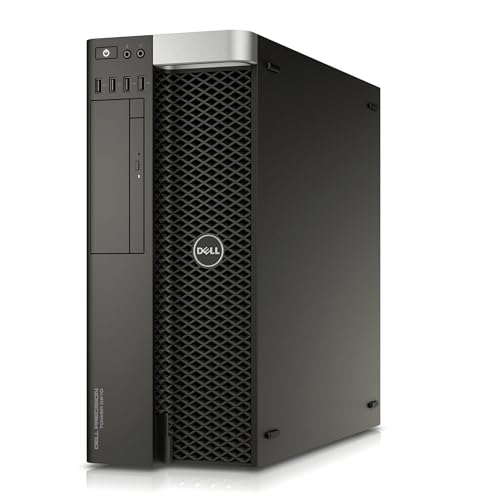
Dell Precision T5810 Workstation E5-2680 V3 2.5GHz 12-Core 64GB DDR4 Quadro NVS 315 480GB SSD, No Operating System (Renewed)
Original price was: $458.00.$418.99Current price is: $418.99. Shop on Amazon - Electronics and Accessories
FNTCASE for Galaxy A17/A16 5G Phone Case, Fit for Magsafe, Screen Protector
$11.99 Shop on Amazon - Electronics and Accessories
FNTCASE for Galaxy A17/A16 5G Phone Case, Fit for Magsafe, Screen Protector
$6.88 Shop on Amazon - Electronics and Accessories
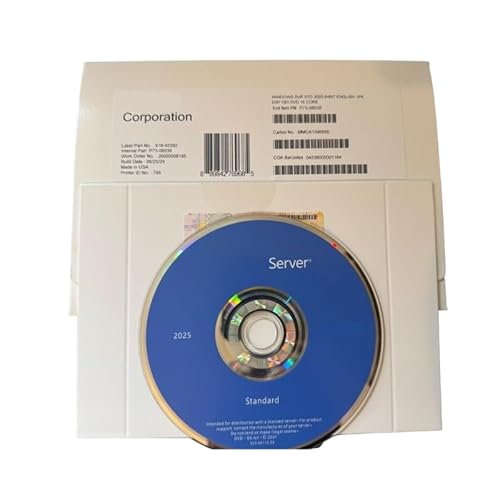
GigaMediaGroup Server 2025 Standard 16 Core OEM English Version NEW
$109.99 Shop on Amazon - Sale!Electronics and Accessories
HP 17-inch Touchscreen Business Laptop, AMD Ryzen 5 7430U, 32GB RAM 1TB SSD
Original price was: $1,499.99.$899.98Current price is: $899.98. Shop on Amazon - Sale!Electronics and Accessories
LG 24G411A-B 24-inch Ultragear Full HD (1920 x 1080) IPS Gaming Monitor, 144Hz (O/C), 1ms MBR, NVIDIA G-Sync Compatible, AMD FreeSync, HDR10, HDMI, DisplayPort, Slim Stand, Black
Original price was: $129.99.$99.99Current price is: $99.99. Shop on Amazon - Electronics and Accessories
Logitech MK540 Full Size Advanced Wireless Keyboard and Mouse Combo
$59.99 Shop on Amazon - Sale!Electronics and Accessories
Microsoft Windows Server 2022 Standard | Base License with media and key | 16 Core
Original price was: $399.99.$349.99Current price is: $349.99. Shop on Amazon - Electronics and Accessories
OtterBox Samsung Galaxy S25 (Only) – Defender Series Case
$46.89 Shop on Amazon - Sale!Electronics and Accessories
Telaso Case for iPhone 17 Pro Max, Liquid Silicone Polka Dot Pattern iPhone 17 Pro Max Phone Case Integrated Camera Control Button, Protective Cover with Microfiber Lining for Women Girls, Yellow
Original price was: $10.79.$9.99Current price is: $9.99. Shop on Amazon






![ImpactStrong Magnetic Guard Designed for iPhone 17 Pro Case [Camera Protection] [Military Grade Drop Tested] [Compatible with MagSafe] Slim Translucent Matte Phone Case (6.3") - Dark Green](https://m.media-amazon.com/images/I/411odEA5bcL._SL500_.jpg)


Choosing the Right Electronics and Accessories for Your Setup
What you actually need here depends heavily on whether you’re buying for a business or IT use case or for personal, everyday use — the two halves of this category don’t have much overlap in what matters.
Business and IT Hardware: Servers, Workstations, and Software Licensing
Of everything in this electronics and accessories lineup, servers and workstations are usually the biggest purchase decision, and the specs that matter most are core count, RAM, and storage configuration relative to what you’re actually running — a file/print server has very different requirements than a workstation doing CAD or video work. RAID storage configurations (like the PERC-based RAID on the server pick above) add redundancy so a single failed drive doesn’t take your data with it, which matters more for a server than a desktop. If you’re licensing server software separately from the hardware, double-check that the license type (base license vs. a version bundled with client access licenses) actually covers how many users or devices will connect to it.
Everyday Accessories: Monitors, Battery Backups, and Phone Cases
A UPS battery backup is worth having on any desktop or server that can’t tolerate an abrupt power loss — it bridges brief outages and gives you enough time to save your work and shut down cleanly during a longer one. For monitors, refresh rate and adaptive sync (G-Sync or FreeSync) matter most for gaming, while resolution and panel type matter more for general office or creative work. Phone cases are the one purely personal-preference pick in this list — the main thing worth checking is that the case is listed for your exact phone model and generation, since camera cutouts and button placement change yearly.
Buying Renewed or Refurbished Electronics
Several of the picks above are listed as Amazon Renewed, which means they’ve been professionally inspected, tested, and refurbished to work and look like new — it’s not the same as a used, “as-is” listing. Buying renewed electronics and accessories can meaningfully cut the cost of higher-end hardware like servers and workstations, but it’s worth actually reading what condition and warranty terms apply before you buy, since these can vary by seller. Amazon’s own Renewed Guarantee page spells out exactly what’s covered and for how long, and it’s worth a quick read before you buy any renewed item, not just the ones on this page.
Frequently Asked Questions
What’s the difference between a server and a workstation?
A server is built to run continuously and serve other devices on a network — file storage, applications, or a database, for example — and is typically specced for redundancy (RAID storage, dual power supplies) over raw single-user speed. A workstation is a single-user machine built for demanding local work like CAD, video editing, or data analysis, and prioritizes CPU/GPU performance for that one user.
Is it safe to buy a renewed server or workstation?
Generally yes, as long as it’s sold through a program with an actual guarantee behind it, like Amazon Renewed, rather than a plain used listing with no inspection standard. Business-grade hardware is also often built to be serviced and refurbished more than once, which is part of why renewed listings are common in this category specifically.
Do I need a UPS for a home office setup, or just a power strip?
A power strip only protects against power surges — it does nothing during an actual outage. A UPS battery backup keeps your equipment running for several minutes during a power loss, which is enough time to save your work and shut down cleanly instead of losing it. If what you actually need is backup power for more than a desk setup — appliances, medical equipment, an entire home during an extended outage — that’s a different scale of product than a UPS, and our emergency preparedness guide covers whole-home options separately.
How do I know if a phone case will fit my exact phone model?
Check the listing title and product details for your phone’s exact model name and generation, not just the general size — camera layouts, button placement, and port cutouts commonly change between generations even when the phone’s physical dimensions are similar.